
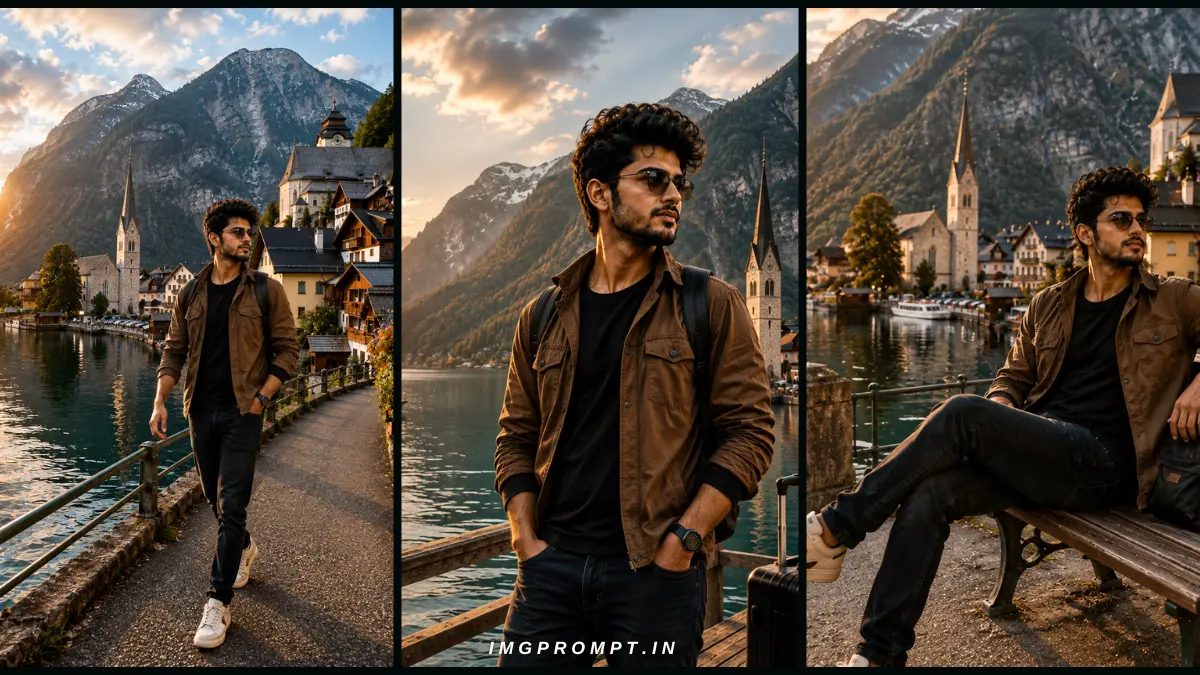
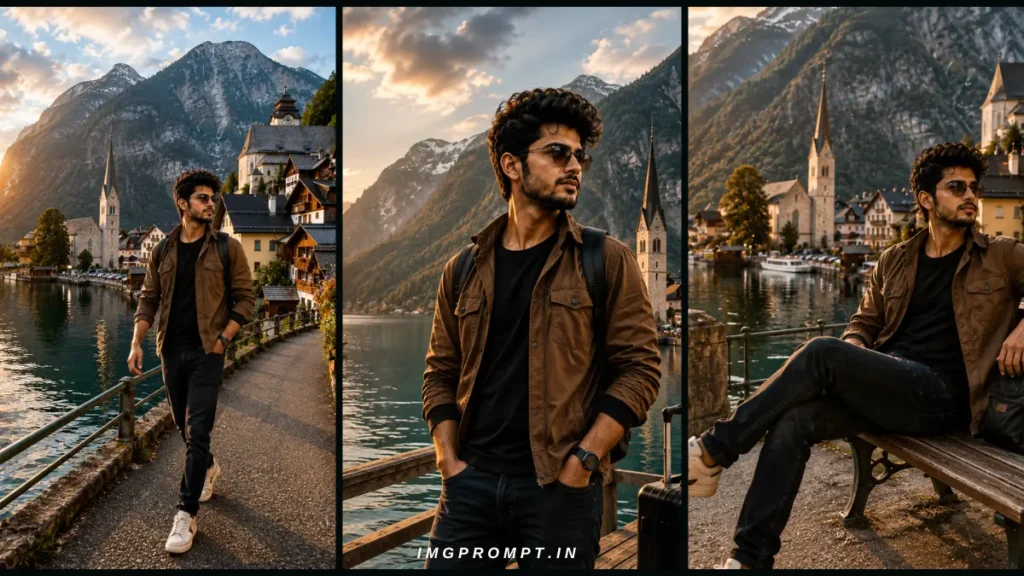
Generating realistic travel photos with artificial intelligence has evolved beyond random, stylized images. Today, creators, influencers, and digital artists demand absolute consistency. You need the ability to place a subject in Paris, Venice, or Kyoto while maintaining their exact facial features, hairstyle, and wardrobe.
AI travel prompts are meticulously structured text inputs designed to generate photorealistic travel portraits. They control the camera angle, lighting, background, and subject posture. The true challenge lies in realistic execution. Without the right prompt structure, AI models will randomly change your subject’s face, morph their clothing, or produce artificial-looking lighting.
Face lock and clothing lock techniques solve this problem. By using precise descriptive anchors and professional photography terminology, you can force the AI to preserve the subject’s identity across multiple generations. In this guide, you will learn exactly how to construct professional prompts for cinematic travel shots, dynamic walking poses, and relaxed sitting poses without losing your subject’s unique identity.
Table of Contents
Quick Overview
| Prompt Style | Best For | Keeps Face | Keeps Clothes | Difficulty |
| Cinematic Travel | Luxury destinations, portraits | Yes | Yes | Medium |
| Walking Pose | Street style, candid movement | Yes | Yes | High |
| Sitting Pose | Editorial look, relaxed scenery | Yes | Yes | Medium |
What Makes a Professional AI Travel Prompt?
A professional AI travel prompt is essentially a digital shot list. It requires the same attention to detail that a professional photographer applies on a real-world set.
Face Lock & Identity Preservation
To keep a face consistent without training a custom model, your prompt must include hyper-specific facial descriptors. You cannot simply say “a woman.” You must define her exact age, ethnicity, jawline, eye color, and hairstyle. Using a celebrity hybrid technique (e.g., “a mix of [Name A] and [Name B]”) is a common workaround for absolute consistency.
Clothing Lock
AI changes clothes when prompts are vague. “A red dress” will yield a different dress every time. “A crimson red silk slip dress with a cowl neckline and thin spaghetti straps” locks the garment’s structure, fabric, and color in the AI’s latent space.
Camera and Lens settings
Defining the hardware changes the image texture. Specifying a Sony A7R V or a Canon EOS R5 signals the AI to generate high-megapixel realism. Including focal lengths like 85mm or 50mm controls the depth of field, ensuring crisp subjects and beautifully blurred backgrounds.
Lighting and Golden Hour
Lighting defines realism. Golden Hour provides soft, warm, directional sunlight that flatters the face. Adding terms like “rim lighting,” “diffused shadows,” or “volumetric light” prevents the flat, artificial lighting common in amateur AI art.
Real Locations
General terms like “a beautiful city” create generic, fake-looking backgrounds. Using exact GPS coordinates or highly recognizable locations grounds the image in reality.
Pose and Composition
You must direct the subject. Phrases like “looking over the shoulder,” “mid-stride,” or “relaxed posture” dictate body language. Compositional rules like the “rule of thirds” or “center framed” tell the AI exactly where to place the subject.
HDR, Color Grading, and Photography Style
Including terms like HDR, RAW, and Color Grading ensures the image doesn’t look like a painting. Referencing specific editorial styles like “National Geographic Style” or “Condé Nast Traveller” applies a professional aesthetic filter to the final output.
Negative Prompts
A negative prompt tells the AI what not to generate. It is crucial for preventing mutated hands, distorted faces, mismatched clothing, and artificial textures.
Section 1: AI Travel Cinematic Prompt
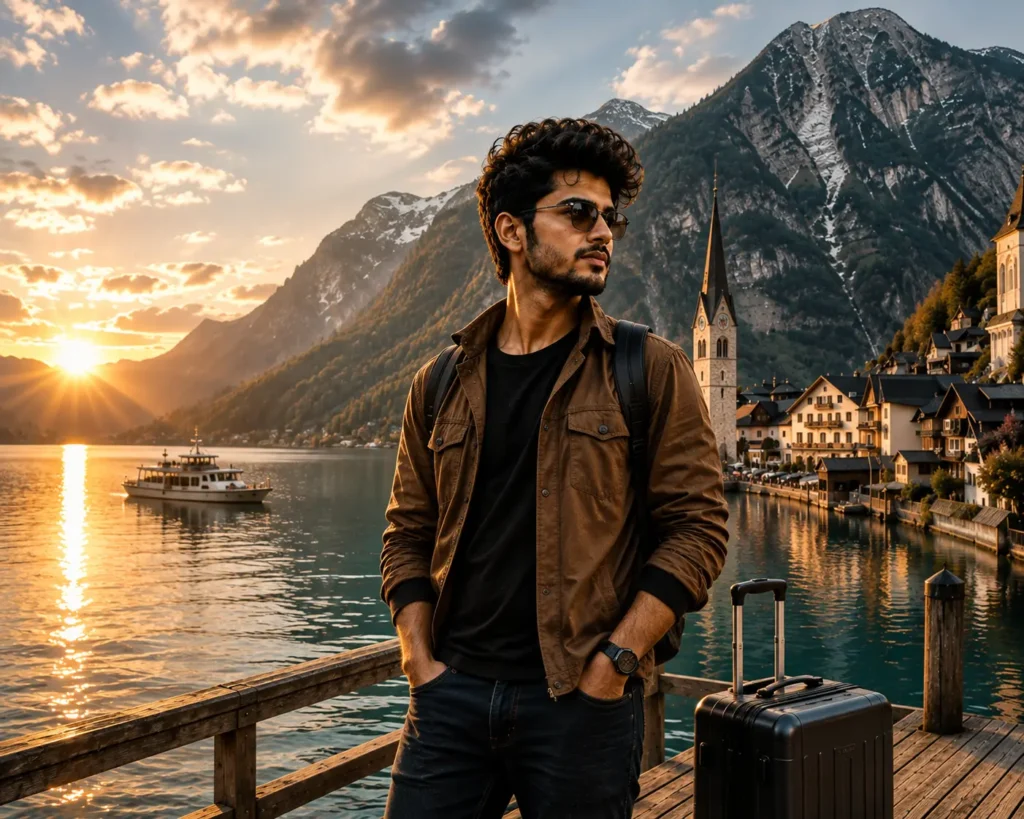
The AI Travel Cinematic Prompt is designed to replicate high-end luxury travel photography. This style is currently trending across social media because it allows creators to simulate expensive photoshoots at premium destinations without leaving their homes.
Cinematic travel photography focuses on atmosphere. It uses shallow depth of field to separate the subject from breathtaking backgrounds, utilizing golden hour sunlight to create a warm, luxurious glow. The goal is to replicate DSLR realism and professional cinematic editing. This requires precise control over HDR (High Dynamic Range) lighting to ensure neither the sky nor the subject’s face is overexposed.
The best locations for cinematic prompts offer distinct, recognizable architecture or landscapes. Highly effective locations include Hallstatt, Santorini, the Swiss Alps, Paris, Venice, Dubai, the Maldives, Banff, Kyoto, and Cappadocia.
The prompt structure for a cinematic shot must start with the photography style, followed by the subject’s strict physical description, the locked clothing, the specific location, and finally, the camera hardware and lighting details. The most common mistake here is over-describing the background, which causes the AI to shrink the subject and lose facial consistency.
Cinematic Prompt Elements
| Element | Specification | Purpose |
| Angle | Medium-wide portrait | Captures outfit and location |
| Lighting | Golden hour, backlit | Adds cinematic warmth |
| Lens | 50mm f/1.8 | Natural perspective, soft bokeh |
| Location | Santorini Caldera | Recognizable luxury setting |
Professional Travel Cinematic Prompt
Use the uploaded photo as the ONLY reference image. Preserve the person’s exact identity with extremely high accuracy. Do not alter or regenerate the face. Keep the facial structure, eyes, eyebrows, nose, lips, jawline, beard, hairstyle, hairline, skin tone, body proportions, age, expression, and overall appearance exactly the same as in the original photo.
IMPORTANT:
Do NOT change the person’s clothing. Keep the exact same outfit, colors, textures, sleeves, shoes, accessories, and fit. Do not replace or redesign the clothes under any circumstances.
Transform only the environment into a breathtaking cinematic luxury travel destination while keeping the subject naturally integrated into the scene.
Place the person on a beautiful wooden lakeside dock overlooking a crystal-clear turquoise alpine lake surrounded by majestic snow-capped mountains. Add a charming European-style village with traditional houses and a church tower on the lakeside. Include a small boat floating peacefully on the lake.
Capture the scene during golden hour just before sunset. Warm sunlight should create soft rays through the mountains with realistic reflections on the water. Add subtle atmospheric haze, cinematic depth, volumetric lighting, and natural shadows.
The person should stand in a relaxed and confident pose, looking slightly away from the camera. One hand should be naturally inside the pocket while the other rests casually by the side or lightly touches the luggage handle. Place a premium black hard-shell travel suitcase beside the person. Add a realistic backpack if it already exists in the original photo, otherwise do not add one.
Maintain realistic body posture, accurate perspective, natural hand anatomy, and believable interaction with the environment.
Color grade the image like a Hollywood travel film using warm golden sunlight with teal-and-orange cinematic tones. Use HDR lighting, ultra-sharp focus, realistic skin texture, DSLR depth of field, and premium editorial photography style.
The final image should look like it was captured by a professional travel photographer for National Geographic, Conde Nast Traveller, or a luxury tourism campaign.
Ultra-realistic, photorealistic, 8K, HDR, cinematic composition, award-winning travel photography, premium color grading, highly detailed, realistic reflections, natural lighting, realistic shadows, perfect depth of field.
Negative Prompt:
Do not change the face, do not change the clothes, no extra people, no duplicate body parts, no distorted hands, no extra fingers, no blurry face, no AI artifacts, no cartoon effect, no unrealistic lighting, no watermark, no logo, no text, no passport, no sunglasses unless already present in the original image, no floating objects, no oversaturation, no plastic skin, no fantasy elements.
Section 2: AI Different Walking Pose Prompt
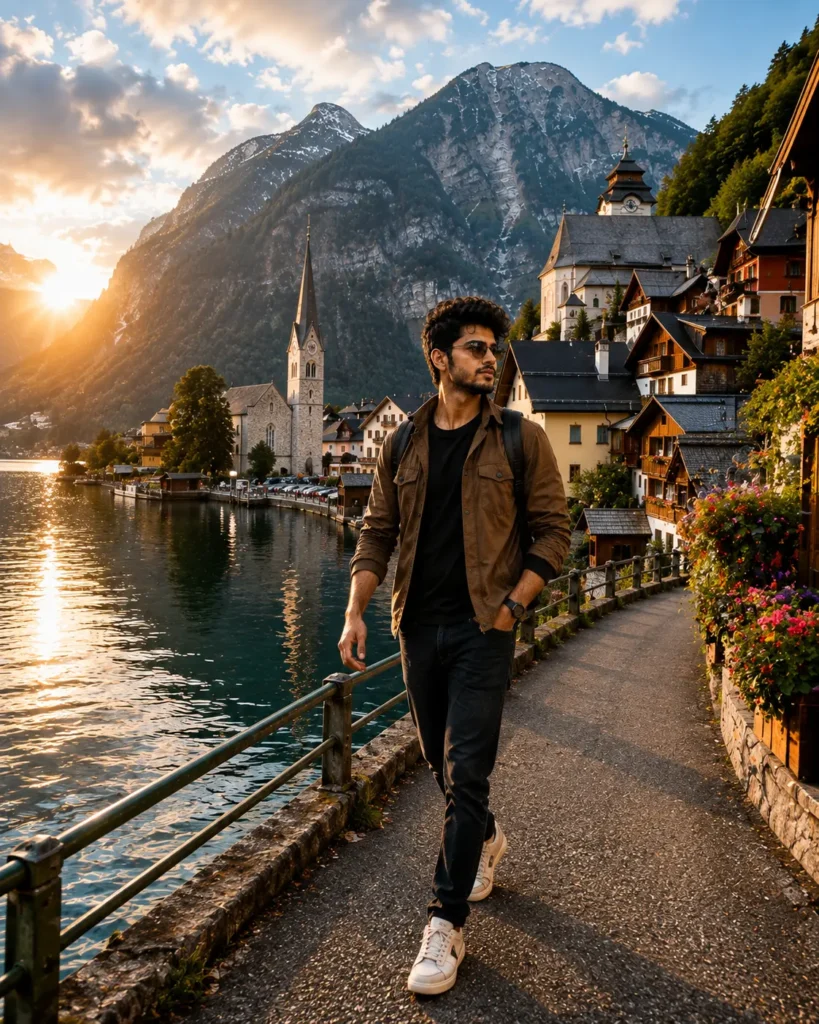
Walking poses add kinetic energy to an image. Users need dynamic walking poses because static standing shots quickly look unnatural and staged in travel feeds. However, generating a walking pose is technically demanding for AI models.
The challenge lies in natural body movement. AI struggles with limbs crossing and weight distribution. To achieve a realistic walking posture, your prompt must explicitly direct the camera angle and the physical action. You need to describe the realistic hand movement, ensuring the arms swing naturally rather than hanging stiffly.
Face preservation becomes difficult when the body is in motion. If the AI focuses too much on the legs and the cobblestone street, it may degrade the facial details. Clothing preservation is equally challenging; fabrics must flow logically with the movement of the body. Background consistency is required to ensure the street or pathway aligns with the subject’s direction of travel.
To build this prompt, rely on professional photography composition terms like “candid street photography” and “captured mid-stride.” The most common mistake is failing to specify the subject’s exact posture, resulting in a model that looks like it is floating or missing a leg.
Walking Prompt Elements
| Element | Specification | Purpose |
| Action | Captured mid-stride | Forces dynamic movement |
| Posture | Natural relaxed gait | Prevents robotic stiffness |
| Camera | Full body shot | Ensures feet touch the ground |
| Style | Candid street photography | Adds journalistic realism |
Professional Walking Pose Prompt
Use the uploaded photo as the ONLY reference image. Preserve the person’s exact identity with extremely high accuracy. The face must remain identical to the original photo. Do not change the facial structure, hairstyle, beard, eyebrows, skin tone, body proportions, age, or overall appearance.
IMPORTANT:
Keep the exact same clothing, colors, textures, footwear, accessories, and outfit design. Never replace or redesign the clothes.
Create a completely new pose and place the subject in a real-world travel destination. The pose should look candid and naturally captured by a professional travel photographer, not like a studio portrait.
Suggested Pose:
The person is walking confidently toward the camera with one hand casually in the pocket and the other hand naturally swinging while walking. The body should have a slight turn, looking toward the surrounding scenery instead of directly at the camera. Maintain realistic body movement, natural posture, and proper leg positioning.
Location:
Hallstatt, Austria — standing beside the crystal-clear lake with the iconic alpine village, traditional wooden houses, church tower, colorful flowers, and snow-covered mountains in the background. Everything should match the real Hallstatt landscape with authentic architecture and geography.
Lighting:
Golden hour just before sunset with soft warm sunlight, cinematic sun rays, realistic reflections on the lake, volumetric light, gentle breeze, and natural atmospheric haze.
Composition:
Full-body shot captured from a slightly low angle using an 85mm DSLR lens. The subject should occupy about 35–40% of the frame while the breathtaking scenery remains the hero of the image.
Photography Style:
National Geographic travel photography, Condé Nast Traveller editorial, luxury tourism advertisement, ultra-realistic, cinematic storytelling, premium travel magazine quality.
Camera Settings:
Sony A7R V, 85mm lens, f/2.8, ISO 100, HDR, RAW photo, ultra-sharp focus, realistic depth of field, realistic skin texture, true-to-life colors.
Quality:
Photorealistic, hyper-realistic, 8K UHD, award-winning travel photography, realistic shadows, cinematic color grading, natural reflections, professional composition.
Negative Prompt:
Do not change the face. Do not change the clothes. No extra people. No duplicate body parts. No distorted hands. No extra fingers. No AI artifacts. No blurry face. No text. No watermark. No logo. No fantasy background. No unrealistic lighting. No passport. No random objects. No plastic skin. No oversaturated colors.
Section 3: AI Sitting Travel Pose Prompt
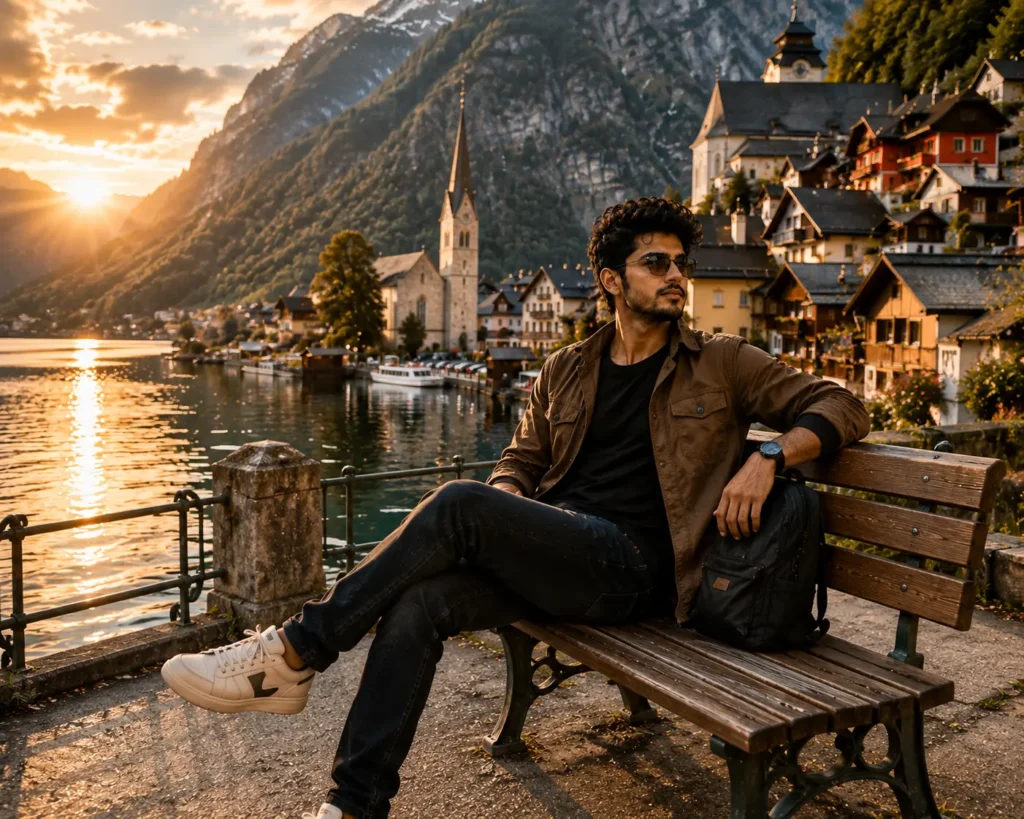
A sitting pose requires an entirely different approach to AI generation. It conveys a relaxed body language and a contemplative mood, often looking away from the lens to create an authentic, unguarded moment.
Whether it is a bench pose or sitting on a stone wall, the AI must understand how fabric drapes when a person is seated. Editorial photography heavily relies on cinematic composition for sitting poses, using leading lines to draw the eye to the subject while showcasing the breathtaking scenery behind them.
Preserving the face and clothing here requires locking in exact body proportions and ensuring the AI knows where the subject ends and the furniture begins. Lighting is paramount; seated subjects often have different shadow patterns than standing subjects.
This specific prompt focuses on Hallstatt, Austria, utilizing exact high-end camera metadata to enforce the highest level of realism.
Sitting Prompt Elements
| Element | Specification | Purpose |
| Setting | Wooden bench | Anchors the subject |
| Gaze | Looking away | Creates an editorial mood |
| Hardware | Sony A7R V, 85mm, f/2.8 | Compresses the background |
| Vibe | Condé Nast Traveller | Establishes premium quality |
Professional Sitting Travel Pose Prompt
Use the uploaded photo as the ONLY reference image. Preserve the person’s exact identity with extremely high accuracy. The face must remain identical to the original photo. Do not alter or regenerate the facial structure, eyes, eyebrows, nose, lips, jawline, beard, hairstyle, hairline, skin tone, age, body proportions, or overall appearance.
IMPORTANT:
Keep the exact same clothing, colors, textures, footwear, accessories, and outfit design from the uploaded image. Never replace, redesign, recolor, or modify the clothes.
Transform the image into a premium cinematic travel portrait captured at the world-famous Hallstatt, Austria, during golden hour.
POSE:
The person is sitting naturally on a classic wooden lakeside bench with one leg crossed over the other. The left arm rests comfortably along the backrest of the bench while the right hand rests naturally on the thigh. The body is turned slightly toward the lake while the face looks into the distance, creating a relaxed, thoughtful travel moment. The pose should feel candid, elegant, and naturally photographed—not posed.
EXPRESSION:
Calm, confident, relaxed, subtle smile or neutral expression, enjoying the scenery.
LOCATION:
Hallstatt, Austria, recreated with maximum realism. Include the authentic lakeside promenade, crystal-clear Hallstätter See, colorful alpine houses, the historic Lutheran Church tower, wooden docks, flower-filled balconies, boats floating on the lake, dense pine forests, dramatic Austrian Alps, and realistic village details. Every architectural detail should match the real Hallstatt.
ENVIRONMENT:
Golden-hour sunlight entering from the left side, warm cinematic glow, realistic sun rays through the mountains, volumetric lighting, soft atmospheric haze, crystal-clear water reflections, gentle ripples on the lake, realistic shadows, blooming flowers around the bench, and a peaceful European village atmosphere.
COMPOSITION:
Wide-angle environmental portrait showing both the subject and the breathtaking landscape. The person occupies about 35% of the frame while the iconic Hallstatt scenery dominates the remaining composition. Eye-level camera angle with natural perspective.
CAMERA:
Sony A7R V
85mm GM Lens
f/2.8
ISO 100
1/800 sec
HDR
RAW
Ultra-high dynamic range
Natural depth of field
Professional travel photography
STYLE:
National Geographic editorial photography, Condé Nast Traveller magazine, luxury tourism campaign, Netflix travel documentary, cinematic storytelling, photorealistic, hyper-realistic, DSLR quality, ultra-detailed, realistic skin texture, authentic lighting, premium cinematic color grading, warm orange and teal tones.
QUALITY:
Ultra-realistic
Photorealistic
8K UHD
HDR
Award-winning travel photography
Extremely sharp focus
Natural shadows
True-to-life colors
High-detail textures
Perfect perspective
Realistic reflections
Professional composition
NEGATIVE PROMPT:
Do not change the face.
Do not change the clothes.
No extra people.
No duplicate person.
No extra fingers.
No deformed hands.
No AI artifacts.
No blurry face.
No unrealistic anatomy.
No plastic skin.
No cartoon style.
No fantasy elements.
No fake buildings.
No watermark.
No logo.
No text.
No passport.
No suitcase unless visible in the original image.
No random accessories.
No oversaturated colors.
No low quality.
No cropped body.
No distorted perspective.
Negative Prompt: ugly, deformed, morphed, extra limbs, bad anatomy, bad hands, missing fingers, crossed eyes, poorly drawn face, mutation, floating, disconnected limbs, blurry, out of focus, overexposed, fake lighting, plastic skin, CGI, 3D render, illustration, painting, mismatched clothes, changing outfit, changing face, text, watermark, signature.
Best Practices
To generate flawless travel portraits, you must adopt systematic best practices.
How to preserve face identity: Always use the same weight, descriptors, and order of words for facial features. If your software supports it, use the exact same seed number across generations to lock the latent noise.
How to preserve clothes: Treat clothing like a blueprint. Mention the fabric, cut, color, and fit every single time. Never use synonyms. If it was a “crimson red silk slip dress” in image one, it cannot be a “red shiny dress” in image two.
Choosing real locations: Be specific. Instead of “a beach,” use “Navagio Beach, Zakynthos.” The AI has trained on millions of geotagged photos and will replicate the distinct limestone cliffs and blue water accurately.
Choosing camera settings: Match your focal length to the shot type. Use 35mm for environmental walking shots, 50mm for standard portraits, and 85mm for tight, blurred-background sitting shots.
Writing better prompts: Order matters. Always start with the medium (photography), followed by the subject, outfit, action/pose, location, lighting, and finally, the camera settings.
Using negative prompts: A strong negative prompt is your safety net. Always include terms that ban CGI textures, plastic skin, and anatomical errors.
Common Mistakes
Even experienced AI creators ruin great concepts by making predictable errors.
Weak prompts are the leading cause of poor generations. Relying on the AI to “fill in the blanks” results in generic, plastic-looking images.
Identity changes happen when you introduce new descriptive words for lighting that accidentally alter the subject’s ethnicity or age (e.g., “dark dramatic lighting” might accidentally age the face if not properly weighted).
Clothing changes occur when background colors bleed into the subject. If you prompt a “blue sky and blue ocean,” a weak prompt might accidentally turn a white dress blue.
Unrealistic lighting happens when you mix conflicting light sources, like requesting “golden hour” and “neon cyberpunk lights” in the same daytime travel shot.
AI artifacts, such as an extra leg or merged fingers, frequently occur in walking poses if the prompt doesn’t explicitly state “perfect anatomy” or use strict negative prompts.
Bad composition happens when you don’t direct the camera. Without instructions, the AI usually places the subject dead center, flat against the background.
Missing negative prompts will almost always result in an image that looks slightly like a digital painting rather than a true RAW photograph.
Comparison Table
| Feature | Travel Cinematic | Walking Pose | Sitting Pose |
| Primary Focus | Background & luxury vibe | Dynamic movement | Relaxed mood & posture |
| Ideal Lens | 50mm | 35mm | 85mm |
| Subject Action | Posing, looking at camera | Mid-stride, natural gait | Resting, looking away |
| Lighting Style | High contrast, backlit | Natural daylight, fast shutter | Soft directional, diffused |
| Difficulty Level | Medium | High (limbs/anatomy) | Medium (fabric draping) |
Conclusion
Mastering AI travel pose prompts transforms standard image generation into professional digital photography. By understanding how to lock a subject’s face, meticulously describe their clothing, and dictate precise camera settings, you can create a cohesive, ultra-realistic travel portfolio. Whether you are generating a cinematic portrait in Santorini, a candid walking shot in Rome, or a relaxed editorial sitting pose in Hallstatt, the secret lies in the structure of your prompt. By applying the techniques, camera data, and negative prompts detailed in this guide, you can confidently generate stunning travel imagery without ever losing your subject’s core identity
other prompts link
God Blessings (8 posts)
| Title | Link |
|---|---|
| Mahadev AI Photo Prompts for Sawan: 3 Realistic Ideas | https://imgprompt.in/mahadev-ai-photo-prompts-for-sawan/ |
| 3 Ultra Realistic Sawan AI Photo Prompts – Kedarnath & Lord Shiva | https://imgprompt.in/3-ultra-realistic-sawan-ai-photo-prompts/ |
| Lord Krishna AI Image Prompt 2026 (Divine Photos) | https://imgprompt.in/lord-krishna-ai-image-prompt-2/ |
| Shani Dev AI Image Prompt 2026 | https://imgprompt.in/shani-dev-ai-image-prompt/ |
| Bajrang Bali AI Photo Prompt 2026 | https://imgprompt.in/bajrang-bali-ai-photo-prompt/ |
| Lord Krishna AI Image Prompt with Your Photo (8K) | https://imgprompt.in/lord-krishna-ai-image-prompt/ |
| Viral Maa Durga AI Prompt (Face Identity Lock) | https://imgprompt.in/viral-maa-durga-ai-prompt/ |
| Maa Kali Blessing AI Image Prompt | https://imgprompt.in/maa-kali-blessing-ai-image-prompt/ |
Change Background / Cinematic Look (5 posts)
| Title | Link |
|---|---|
| Independence Day AI Photo Prompt 2026 | https://imgprompt.in/independence-day-ai-photo-prompt/ |
| Realistic Photo with Erling Haaland AI Prompt | https://imgprompt.in/realistic-photo-with-erling-haaland/ |
| Change Background with Realistic Waterfall AI Prompt | https://imgprompt.in/change-background-with-realistic-waterfall/ |
| Best Rain AI Photo Prompts (Monsoon) | https://imgprompt.in/best-rain-ai-photo-prompts/ |
| Hyper-Realistic Cinematic Monsoon Portrait Prompt | https://imgprompt.in/cinematic-monsoon-portrait-with-blurred-background/ |
3D Social Media / Hidden Face (3 posts)
| Title | Link |
|---|---|
| Realistic Independence Day AI DP Prompt 2026 | https://imgprompt.in/realistic-independence-day-ai-dp-prompt/ |
| Face Change Prompts (Clouds, Stars & Forest) | https://imgprompt.in/face-change-prompts/ |
| Best Social Media DP AI Prompt with Identity Lock | https://imgprompt.in/best-social-media-dp-ai-prompt/ |
Couple Name DP (2 posts)
| Title | Link |
|---|---|
| Romantic Couple Hand AI Image Prompt 2026 | https://imgprompt.in/romantic-couple-hand-ai-image-prompt/ |
| Couple Eye Selfie AI Prompt | https://imgprompt.in/couple-eye-selfie-ai-prompt/ |
Professional Edit (2 posts)
| Title | Link |
|---|---|
| 15 August AI Photo Prompt 2026 | https://imgprompt.in/15-august-ai-photo-prompt/ |
| Old Photo Restoration Prompt | https://imgprompt.in/old-photo-restoration-prompt/ |
Latest (Homepage only)
| Title | Link |
|---|---|
| 3 Ultra Realistic ChatGPT Image Prompts | https://imgprompt.in/3-ultra-realistic-chatgpt-image-prompts/ |
| Group Photo Enhancer Prompt | https://imgprompt.in/group-photo-enhancer-prompt/ |