
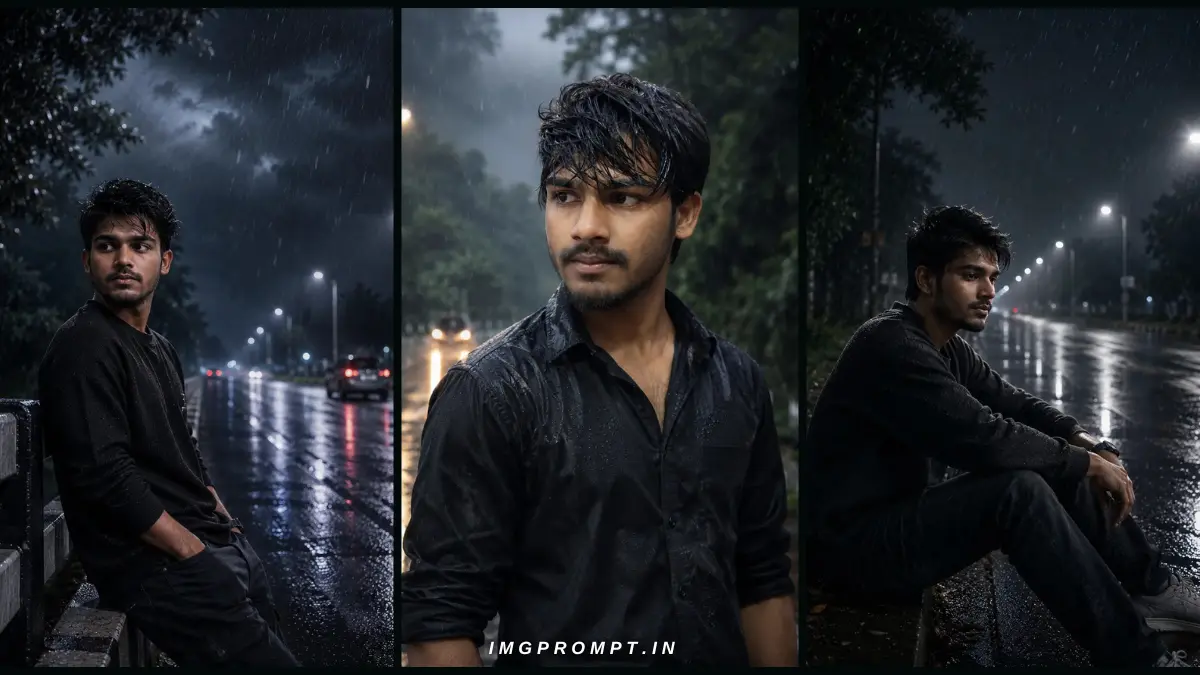
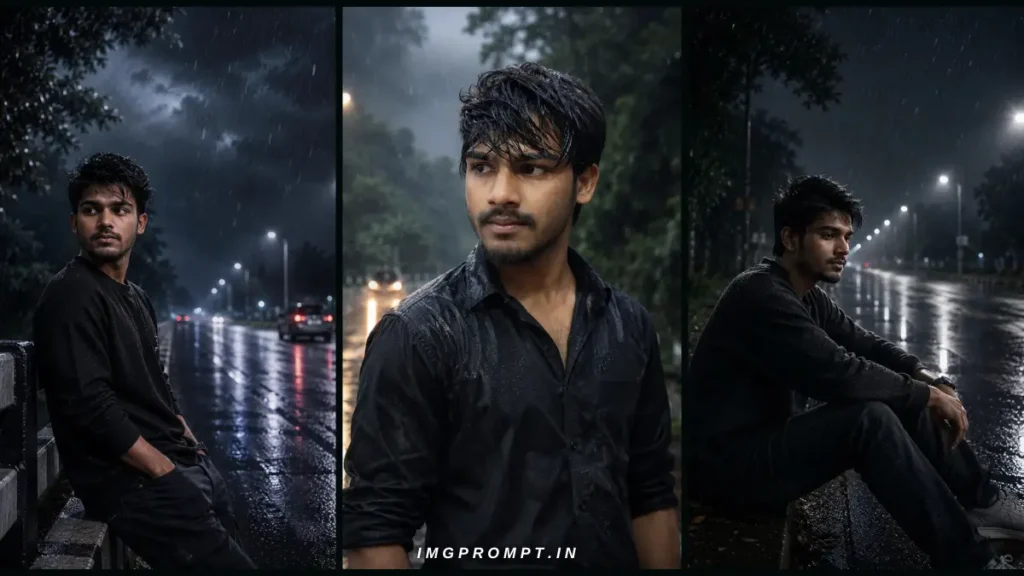
Best Rain AI Photo Prompts has always been one of the most emotional and visually appealing styles of portrait photography. Rain, dramatic clouds, wet roads, reflections, and soft cinematic lighting create a unique atmosphere that instantly grabs attention. Thanks to modern AI image generators like ChatGPT Images, Flux Kontext, Gemini Imagen, and Midjourney, creating professional-looking monsoon portraits has become easier than ever.
However, many users face one common problem—the generated face looks completely different from the original person. This happens because most AI models prioritize artistic styling over identity preservation. To solve this issue, you need detailed prompts with strong identity-lock instructions that tell the AI to preserve the exact facial structure while changing only the environment, lighting, pose, or outfit.
In this article, you’ll learn how to create realistic cinematic monsoon portraits using advanced prompts, which AI tools work best, how to maintain facial consistency, and how to avoid common mistakes.
Table of Contents
What is a Best Rain AI Photo Prompts Photo Prompt?
A Monsoon AI Photo Prompt is a detailed text instruction that guides an AI image generator to create portraits featuring rainy weather, dramatic skies, wet roads, mist, reflections, and cinematic lighting. A good prompt also specifies camera settings, clothing, body pose, and facial identity to achieve highly realistic results.
The more descriptive and precise your prompt is, the better the final image will be.
Why Are Best Rain AI Photo Prompts Trending?
Monsoon portraits are becoming increasingly popular because they create a cinematic and emotional look that works well on social media.
People use them for:
- Instagram profile pictures
- WhatsApp DP
- Facebook profile photos
- YouTube channel branding
- Cinematic reels
- Portfolio photography
- AI art collections
Their dramatic atmosphere makes even a simple portrait appear premium and professionally captured.
Best AI Tools for Monsoon Portraits
| AI Tool | Face Consistency | Quality | Best For |
|---|---|---|---|
| ChatGPT Images | Excellent | Excellent | Realistic portraits |
| Flux Kontext | Excellent | Excellent | Identity preservation |
| Gemini Imagen | Very Good | Excellent | Fast generation |
| Midjourney | Very Good | Artistic | Cinematic visuals |
| Reve AI | Good | Very Good | Creative photography |
Prompt 1: Cinematic Roadside Sitting Monsoon Portrait
Use the uploaded reference image as the ONLY identity reference.
IDENTITY LOCK (HIGHEST PRIORITY):
The generated person must be the EXACT same person from the reference image. Preserve the identity with maximum facial consistency. Keep the exact facial structure, forehead, eyebrows, eyes, eyelashes, nose shape, lips, beard, mustache, ears, jawline, chin, skin tone, face proportions, facial expression, hairstyle direction, hairline, age, and all facial details identical. Do NOT beautify, modify, reshape, smooth, whiten, or stylize the face. No AI face replacement. No facial enhancement. No makeup. No age change. No body proportion changes.
SCENE:
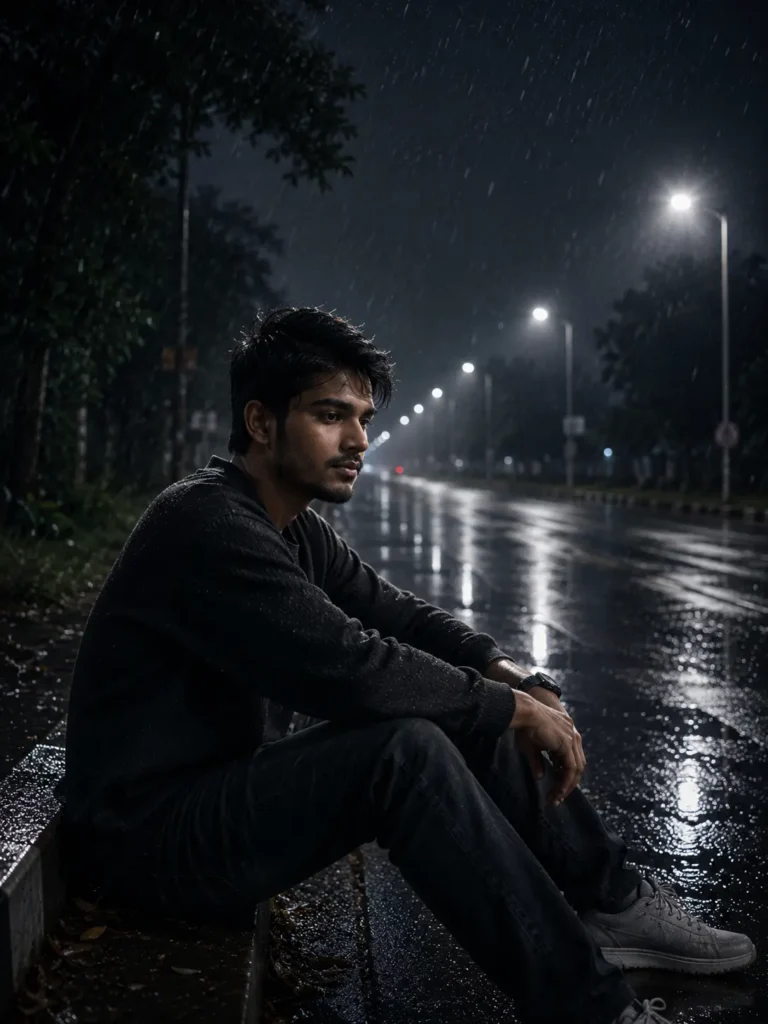
A realistic cinematic monsoon night portrait. The person is sitting alone on the edge of a wet roadside curb after heavy rain. Body turned approximately 70 degrees away from the camera while the head is lowered naturally and turned back about 45–50 degrees, showing only half of the face. Eyes looking down toward the wet road with a deep emotional, lonely and thoughtful expression. Both elbows resting on the knees, hands relaxed naturally. The pose should feel candid and not intentionally posed.
OUTFIT:
Same black textured sweatshirt from the reference image.
Dark blue jeans.
White sneakers.
Clothes naturally wet from rain.
HAIR:
Keep the exact hairstyle from the reference image.
Hair naturally wet with rain.
Slightly messy because of wind.
Visible individual hair strands.
Natural rain droplets.
BACKGROUND:
Empty highway at night.
Heavy monsoon rain.
Wet reflective asphalt.
Streetlights creating long reflections.
Dense storm clouds.
Soft fog.
Trees beside the road.
One dramatic lightning bolt in the distant sky.
Rain puddles reflecting lights.
LIGHTING:
Professional cinematic lighting.
Cool blue monsoon tones.
Warm streetlights.
Subtle rim light from lightning.
High Dynamic Range.
Natural shadows.
No artificial glow.
CAMERA:
Sony A7R V
Sony FE 85mm f/1.4 GM
85mm Portrait Lens
f/1.8
ISO 400
1/250 sec
Eye-level camera angle.
Vertical composition.
Ultra shallow depth of field.
Natural bokeh.
QUALITY:
Hyper realistic
Photorealistic
8K Ultra HD
DSLR Photography
Natural skin texture
Visible beard texture
Realistic rain physics
Professional cinematic color grading
No AI artifacts
No plastic skin
No face distortion
No body distortion
Identity preservation is the highest priority.
Imagine sitting alone beside a rain-soaked road on a stormy night. Heavy rainfall, soft fog, glowing streetlights, and distant lightning create a deeply emotional atmosphere.
This prompt is ideal for users who want a realistic, thoughtful, and cinematic portrait with maximum facial consistency.
Best for:
- Instagram DP
- WhatsApp Profile
- Emotional portrait
- Rain photography
- Cinematic wallpapers
Prompt 2: Standing on an Empty Rainy Highway
REFERENCE IMAGE IS MANDATORY.
Use the uploaded reference image as the ONLY identity reference.
IDENTITY PRESERVATION (TOP PRIORITY):
The generated person must be the EXACT same person from the uploaded reference image. Preserve facial identity with 99.9% accuracy. Keep the exact forehead, eyebrows, eye shape, eyelids, eyelashes, nose, lips, beard, mustache, jawline, cheekbones, ears, neck, hairstyle, hairline, skin tone, face proportions, facial asymmetry, and age identical. Do not beautify, reshape, smooth skin, whiten skin, enlarge eyes, sharpen jawline, modify beard, or redesign the hairstyle. The face should be instantly recognizable as the same real person. No AI face generation, no face swapping, no identity drift.
POSE:
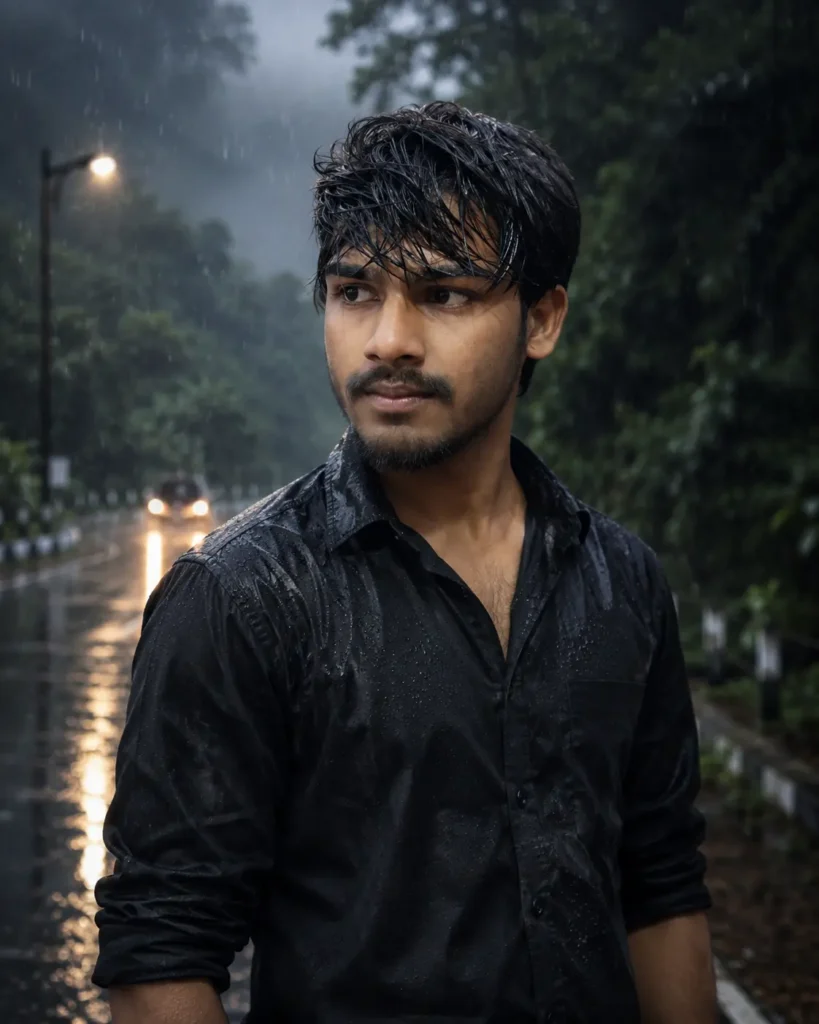
The person is standing naturally on the side of an empty monsoon road. Body rotated about 65–70° away from the camera. Head turned back about 40–45° toward the left side, looking into the distance instead of the camera. Chin slightly lowered. Calm, emotional, slightly sad expression. One hand casually inside the pants pocket. The other hand relaxed naturally beside the body. Shoulders relaxed. Natural candid posture like a real street photograph, not a fashion pose.
OUTFIT:
Plain black full-sleeve shirt (slightly fitted), sleeves rolled to the forearms. Dark blue jeans. Black belt. White sneakers. Shirt naturally wet from rain with realistic water droplets and wet fabric folds.
HAIR:
Keep the exact hairstyle from the reference image. Hair naturally wet from rain. Slightly messy because of wind. Individual wet hair strands visible. No hairstyle redesign.
BACKGROUND:
A long empty highway during heavy monsoon rain at night. Wet reflective asphalt road stretching into the distance. Bright white LED streetlights on both sides creating long reflections on the road. Blurred car headlights far away. Dense green trees lining one side of the road. Thick storm clouds. Light mist. Occasional lightning behind the clouds. Small puddles reflecting the lights.
LIGHTING:
Professional cinematic lighting. Cool blue monsoon color palette. Warm white streetlights creating soft highlights. Subtle rim light from lightning. HDR lighting. Natural shadows. High contrast without overexposure. Realistic rain reflections.
CAMERA:
Sony A7R V
Sony FE 85mm f/1.4 GM Lens
85mm portrait lens
Aperture f/1.8
ISO 400
Shutter Speed 1/250 sec
Eye-level camera angle
Vertical composition
Shallow depth of field
Professional natural bokeh
QUALITY:
Ultra photorealistic
Hyper realistic
DSLR photography
8K Ultra HD
Professional portrait photography
Natural skin pores
Detailed beard texture
Realistic wet clothes
Natural rain physics
Cinematic color grading
No AI artifacts
No extra fingers
No body distortion
No duplicate limbs
No plastic skin
No face modification
FINAL REQUIREMENT:
The final image must look like a real DSLR photograph captured during a rainy monsoon night. Identity preservation is more important than style. The face must remain exactly the same as the uploaded reference image while creating an emotional cinematic standing portrait.
This prompt creates a realistic standing pose beside an empty highway during heavy monsoon rain.
The body faces slightly away from the camera while the head turns naturally toward the road, creating a professional street-photography style portrait.
The black shirt, wet hairstyle, dramatic clouds, and reflections on the road combine to produce a highly cinematic image.
Prompt 3: Bridge Standing Portrait
Standing beside a bridge during rainfall creates a calm yet dramatic mood.
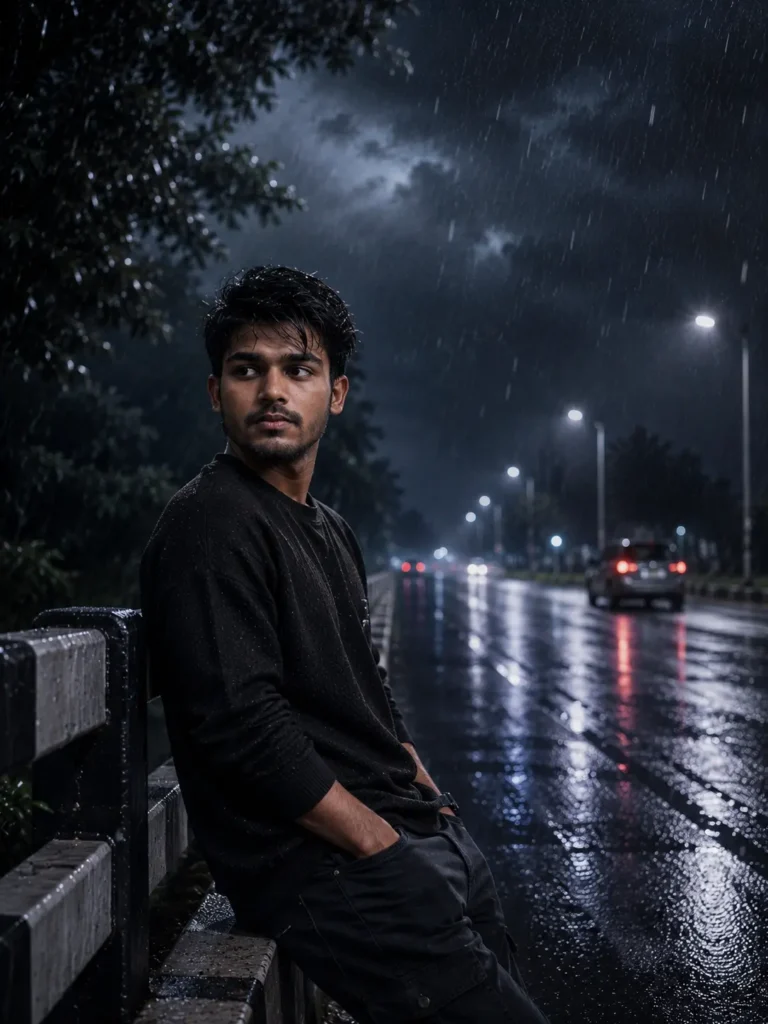
Use the uploaded reference image as the ONLY identity reference.
IDENTITY LOCK (HIGHEST PRIORITY):
Generate the EXACT same person from the reference image. Preserve every facial feature exactly as shown. Keep the same forehead, eyebrows, eyes, nose, lips, jawline, beard, mustache, ears, hairstyle, hairline, skin tone, face shape, age, expression and overall identity. Do NOT beautify the face. No skin smoothing. No whitening. No symmetry correction. No face redesign. No AI interpretation.
SCENE:
A highly realistic cinematic monsoon night portrait. The person is leaning naturally against a roadside bridge railing during heavy rain. Body facing approximately 70 degrees away from the camera while the head turns back around 45 degrees toward the road, showing about half of the face. One hand inside the pocket while the other hand rests casually on the railing. Calm, lonely and slightly sad expression. Looking toward distant traffic lights instead of directly at the camera. Natural candid posture.
OUTFIT:
Same black textured sweatshirt from the reference image.
Dark cargo pants or dark blue jeans.
White sneakers.
Sweatshirt soaked with rain.
Natural wet fabric texture.
HAIR:
Exactly the same hairstyle.
Wet realistic hair.
Wind-blown strands.
Natural rain droplets.
No hairstyle modification.
BACKGROUND:
Long empty road.
Rain falling continuously.
Wet bridge.
Streetlights.
Passing vehicles with blurred headlights.
Strong reflections on wet asphalt.
Dark storm clouds.
Light mist.
Occasional lightning illuminating the clouds.
Dense trees on one side.
LIGHTING:
Professional movie-style lighting.
Cool blue monsoon tones.
Warm streetlight reflections.
Natural rim lighting.
High Dynamic Range.
Soft shadows.
Realistic reflections.
CAMERA:
Sony A7R V
Sony FE 85mm f/1.4 GM
85mm Portrait Lens
f/1.8
ISO 400
1/250 sec
Eye-level angle.
Vertical portrait.
Shallow depth of field.
Natural cinematic bokeh.
QUALITY:
Hyper realistic
Ultra photorealistic
DSLR quality
8K resolution
Natural skin pores
Detailed beard texture
Professional color grading
Rain simulation
No AI artifacts
No extra fingers
No body distortion
No face modification
Maximum identity preservation.
The background includes:
- Wet bridge
- Storm clouds
- Fog
- Streetlights
- Blurred headlights
- Continuous rain
The result looks like a still frame from a movie.
How to Keep Your Face Identical in AI Images
One of the biggest challenges with AI-generated portraits is preserving facial identity. Even advanced models may subtly change the face if the prompt isn’t specific enough.
To improve consistency:
- Upload a clear front-facing reference image.
- Mention that the reference image is the only identity reference.
- Instruct the AI to preserve facial structure, beard, eyebrows, eyes, nose, lips, hairstyle, and skin tone.
- State that identity preservation is the highest priority.
- Avoid using vague prompts such as “make me look better” or “change my face.”
- Use the same reference image for every variation you generate.
These small changes greatly improve the chances of generating a portrait that still looks like you.
Camera Settings for Realistic AI Portraits
Professional-looking AI portraits often imitate DSLR photography. Including camera details in your prompt can noticeably improve realism.
Recommended settings:
- Camera: Sony A7R V
- Lens: 85mm f/1.4
- Aperture: f/1.8
- ISO: 400
- Shutter Speed: 1/250 sec
- Vertical composition
- Eye-level camera angle
- Shallow depth of field
- Natural bokeh
- HDR lighting
These settings help the AI create portraits with natural background blur, sharp facial details, and cinematic depth.
Common Mistakes to Avoid
Many users don’t get realistic results because their prompts are incomplete.
Avoid these common mistakes:
- Using low-quality reference images
- Forgetting identity-lock instructions
- Overloading the prompt with unnecessary effects
- Asking the AI to beautify the face
- Ignoring realistic lighting
- Not mentioning camera settings
- Using overly exaggerated rain or lightning
Keeping the prompt focused and realistic generally produces better results.
Frequently Asked Questions
Can I use these prompts in ChatGPT Images?
Yes. These prompts work well with ChatGPT Images when you upload a reference image.
Which AI tool keeps the face most consistent?
Flux Kontext and ChatGPT Images are among the strongest options for preserving facial identity when paired with a clear reference image.
Can I generate Instagram profile pictures?
Yes. These prompts are suitable for creating realistic and cinematic profile pictures.
Are these prompts free to use?
Yes. You can use them freely with any compatible AI image generator, subject to that tool’s usage limits or subscription requirements.
Can I change the outfit while keeping my face the same?
Yes. Most AI models allow outfit changes while preserving facial identity if the prompt clearly prioritizes identity consistency.
Does AI always generate an identical face?
No. Even with detailed prompts, no AI model can guarantee a 100% identical face every time. A high-quality reference image and strong identity instructions can significantly improve consistency.
Conclusion
AI-generated monsoon portraits are an exciting way to create cinematic, professional-looking images without a real photoshoot. By using detailed prompts, realistic camera settings, and strong identity-preservation instructions, you can generate emotional rainy portraits that remain recognizable as you.
Whether you’re creating an Instagram profile picture, a YouTube thumbnail, or simply experimenting with AI photography, focusing on realism, lighting, composition, and facial consistency will give you the best results. Start with a clear reference image, choose the right AI tool, and refine your prompts until you achieve the look you want.