
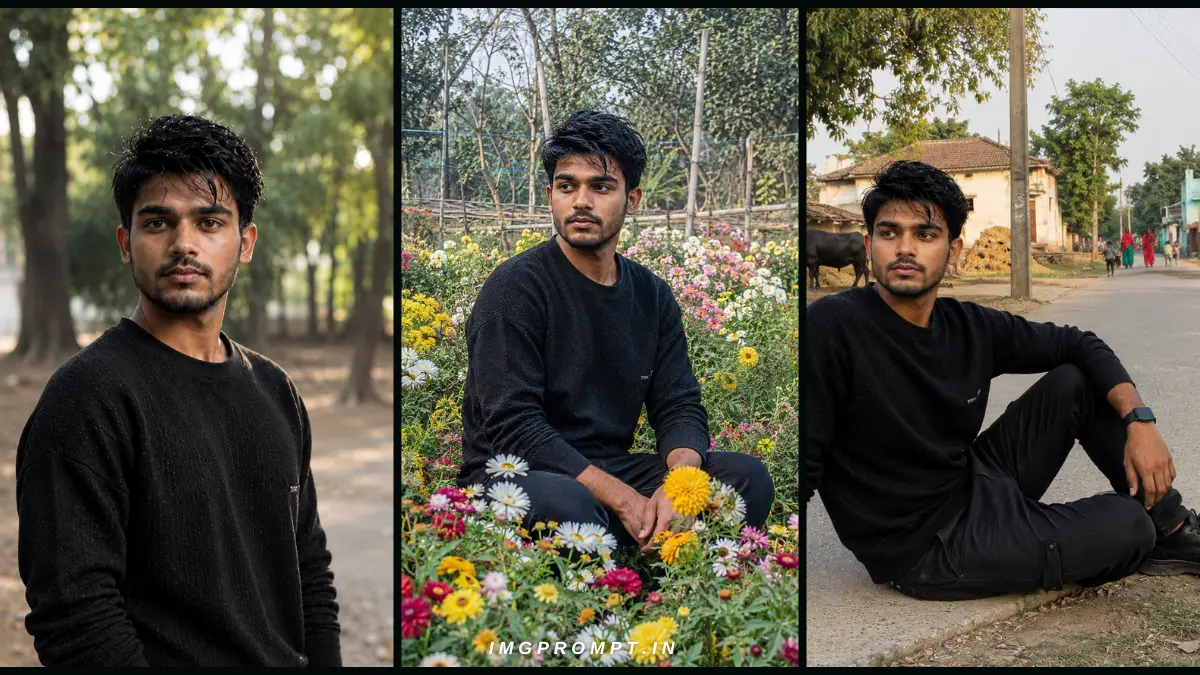
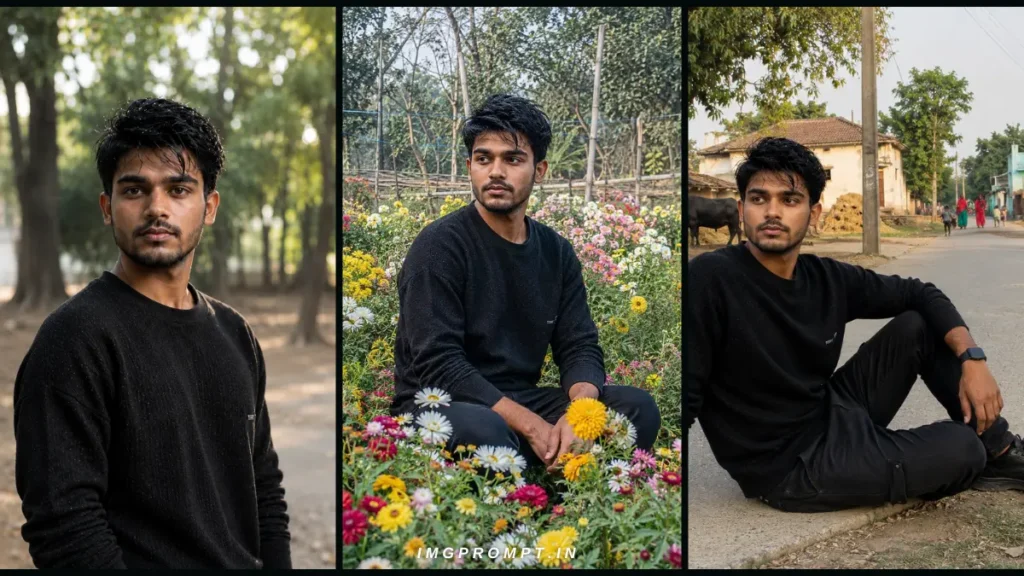
Running multiple educational and recruitment web portals means I need hundreds of high-quality images every single month. Let’s be honest: generic stock photos don’t cut it anymore, especially if you are trying to get your articles pushed into Google Discover.
In my experience of managing content workflows and optimizing sites for higher click-through rates, I’ve found that using highly realistic, text-free 16:9 AI banners works best. But generating an AI image that doesn’t look like “plastic CGI” is tough. After testing hundreds of variations, I am sharing the exact three ultra realistic ChatGPT image prompts I use to create natural, DSLR-quality photos.
Table of Contents
1. The Professional Corporate Headshot (Perfect for Author Bios)
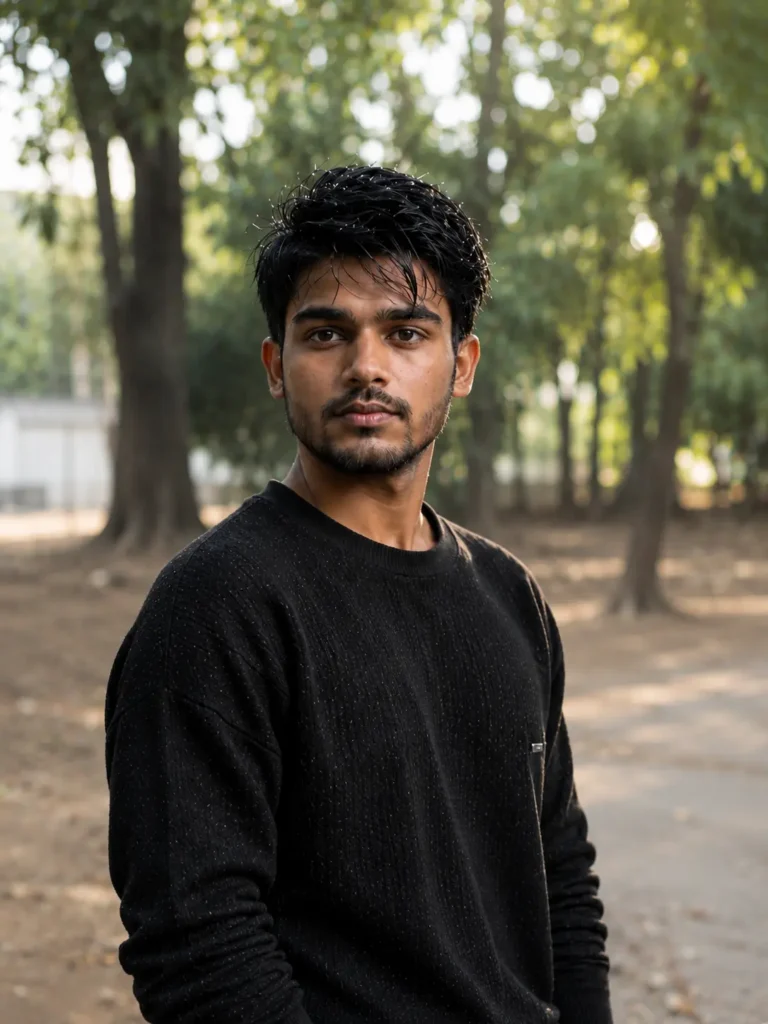
If you run professional blogs or need author bio pictures that look incredibly authentic, this prompt forces the AI to mimic a high-end camera lens. It focuses heavily on skin texture so the person doesn’t look like a wax mannequin.
Use the uploaded photo as the only reference. Preserve the person’s exact identity with extremely high accuracy. Do not change the face, facial structure, hairstyle, beard, eyebrows, skin tone, body proportions, clothing, pose, expression, camera angle, framing, perspective, or composition.
IMPORTANT:
Do NOT replace, redesign, recreate, or reimagine the background. Keep the original background exactly as it appears in the uploaded photo. Preserve every object, wall, tree, road, building, furniture, lighting direction, shadows, colors, and environmental details. The location must remain completely unchanged. Only enhance the realism, clarity, and image quality while keeping the scene identical.
The final image must look like the same photograph captured again using a professional full-frame DSLR camera, not like a newly generated AI scene.
Enhance only:
• Natural skin texture
• Realistic skin pores
• Fine facial hair
• Individual hair strands
• Realistic eye reflections
• Natural fabric texture
• Better sharpness
• Improved dynamic range
• Realistic color balance
• Slightly improved lighting while keeping the original light direction
• Cleaner image with authentic camera detail
Do NOT:
• Change the background
• Change the environment
• Change the weather
• Change the time of day
• Add or remove objects
• Change clothing
• Change pose
• Change expression
• Change camera angle
• Change composition
• Add cinematic effects
• Add dramatic lighting
• Add fantasy elements
• Add artificial bokeh
Camera Settings:
Sony A7R V
85mm f/1.8 lens
ISO 100
1/500 sec
RAW Photo
Natural Color Science
True Optical Sharpness
Rendering Style:
The image should be indistinguishable from a genuine DSLR photograph. Preserve every original detail while only improving realism, sharpness, texture, and photographic quality. The output must look like the original image captured by a professional camera, not an AI-generated recreation.
Negative Prompt:
No background replacement, no new scenery, no artificial bokeh, no fake lighting, no CGI, no painting, no cartoon, no AI look, no plastic skin, no beauty filter, no oversmoothing, no identity change, no face modification, no text, no logo, no watermark.
Why this works: By specifying the “85mm f/1.8 lens,” you are telling the AI to blur the background naturally (bokeh) while keeping the eyes razor-sharp.
2. The Vibrant Botanical Garden (Great for Lifestyle/General Featured Images)
AI usually messes up outdoor nature scenes by making the greens too neon or blending the flowers into the person’s clothes. This prompt fixes that by balancing the sunlight and depth of field.
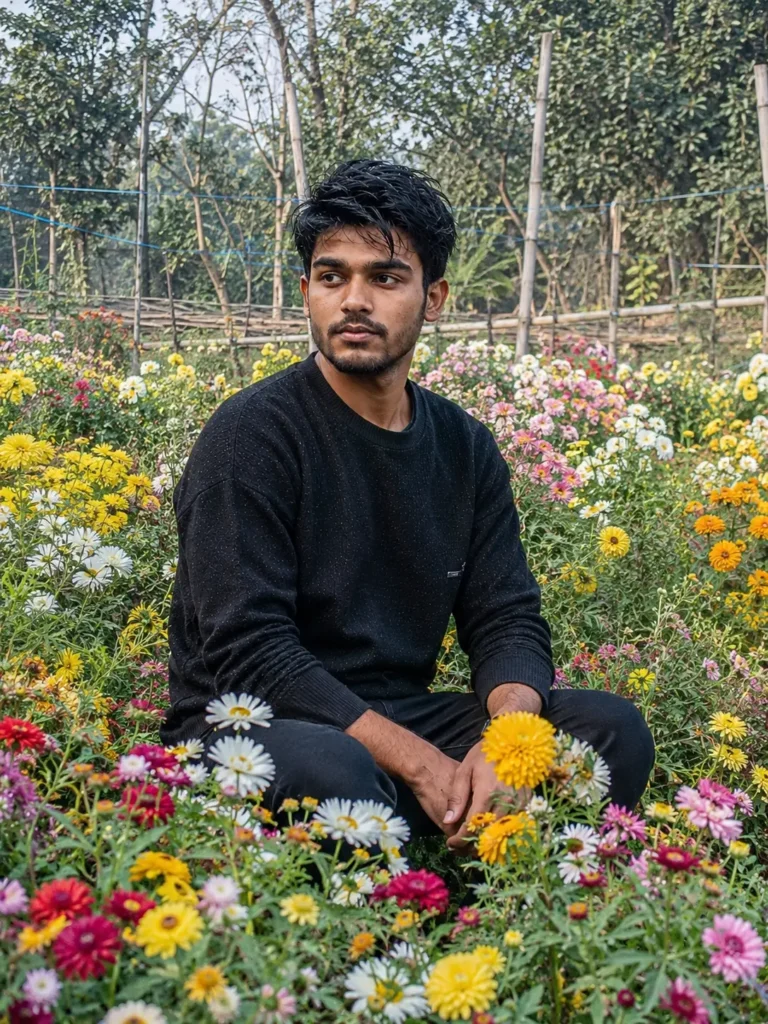
Use the uploaded image as the ONLY facial identity reference. Preserve the person’s exact identity with maximum accuracy, including facial structure, hairstyle, beard, eyebrows, eye shape, skin tone, lips, nose, jawline, ears, neck, body proportions, clothing style, and natural expression. The final image must look exactly like the same real person photographed in a real flower garden.
Create a completely authentic outdoor portrait where the subject is sitting naturally in the middle of a beautiful flower garden. The person is sitting comfortably on the natural grass with one knee slightly raised and one hand resting casually on the knee while the other hand touches the flowers. The pose should look relaxed, candid, and completely natural as if someone captured the moment during an evening walk in a real botanical garden.
The flower garden must look absolutely real, not artificial. Surround the subject with naturally growing flowers of different colors including white daisies, yellow marigolds, pink cosmos, red zinnias, purple asters, orange calendulas, and small wildflowers. Flowers should appear at different heights and distances, just like a genuine garden. Add green leaves, stems, tiny grass, scattered dry leaves, natural soil, and realistic garden pathways to increase realism.
Keep the ENTIRE background natural and fully visible. Do NOT use heavy portrait blur or exaggerated bokeh. Trees, plants, flowers, sky, pathways, fences, bushes, and distant greenery should remain naturally sharp with only the slight optical softness produced by a real 50mm DSLR lens. The image should feel like an actual photograph taken in a public botanical garden.
Lighting should be completely natural with soft late afternoon sunlight. Warm sunlight should gently illuminate the face while soft ambient daylight fills the shadows. Use realistic shadow transitions, authentic sunlight filtering through tree leaves, and natural reflections from the flowers. Avoid cinematic lighting, colored lights, artificial glow, HDR exaggeration, or fantasy effects.
Facial Details:
• Exact identity preservation
• Natural skin pores
• Fine facial hair
• Individual beard strands
• Tiny skin imperfections
• Natural lip texture
• Real eyelashes
• Authentic eye reflections
• No beauty filter
• No skin smoothing
• No plastic skin
• Natural human appearance
Hair Details:
Maintain the exact hairstyle from the uploaded image with thousands of naturally visible individual hair strands. Hair should move slightly with a gentle outdoor breeze without changing the haircut or hairline.
Clothing:
Keep the same black textured sweater and natural clothing folds. Show realistic fabric texture, stitching, sleeve wrinkles, cotton weave, and authentic shadows created by sunlight.
Environment:
A real botanical garden with healthy green grass, colorful flower beds, naturally growing trees, small plants, wooden fences, stone walking paths, birds flying in the distance, butterflies resting on flowers, and soft natural daylight. Every object should appear naturally placed without looking staged.
Camera Specifications:
Camera: Sony A7R V
Lens: Sony FE 50mm f/2.0 G
ISO: 100
Shutter Speed: 1/400 sec
White Balance: Daylight
Focus: Eye Autofocus
RAW Format
Natural Dynamic Range
True Optical Perspective
Minimal Depth of Field
No Artificial Blur
Rendering Style:
Generate a true-to-life DSLR photograph with authentic colors, realistic exposure, natural contrast, real optical lens characteristics, documentary-style photography, extremely fine textures, and true camera realism. Every pixel should resemble a genuine photograph captured by a professional photographer in a real flower garden.
Negative Prompt:
No AI look, no CGI, no cartoon, no painting, no fantasy garden, no fake flowers, no oversized flowers, no artificial blur, no heavy bokeh, no oversaturated colors, no glowing skin, no beauty filter, no plastic face, no identity change, no face modification, no unrealistic lighting, no floating objects, no extra fingers, no anatomy errors, no text, no logo, no watermark.
How to tweak it: You can easily change “overgrown flower garden” to “golden wheat field” or “city park” depending on your article’s topic.
3. The Authentic Indian Village Road (For Regional/Local Content)
Since a lot of my traffic comes from regional portals and recruitment updates, I often need images that represent real, everyday Indian life. AI tends to heavily stereotype rural scenes. This prompt acts like a documentary photojournalist.
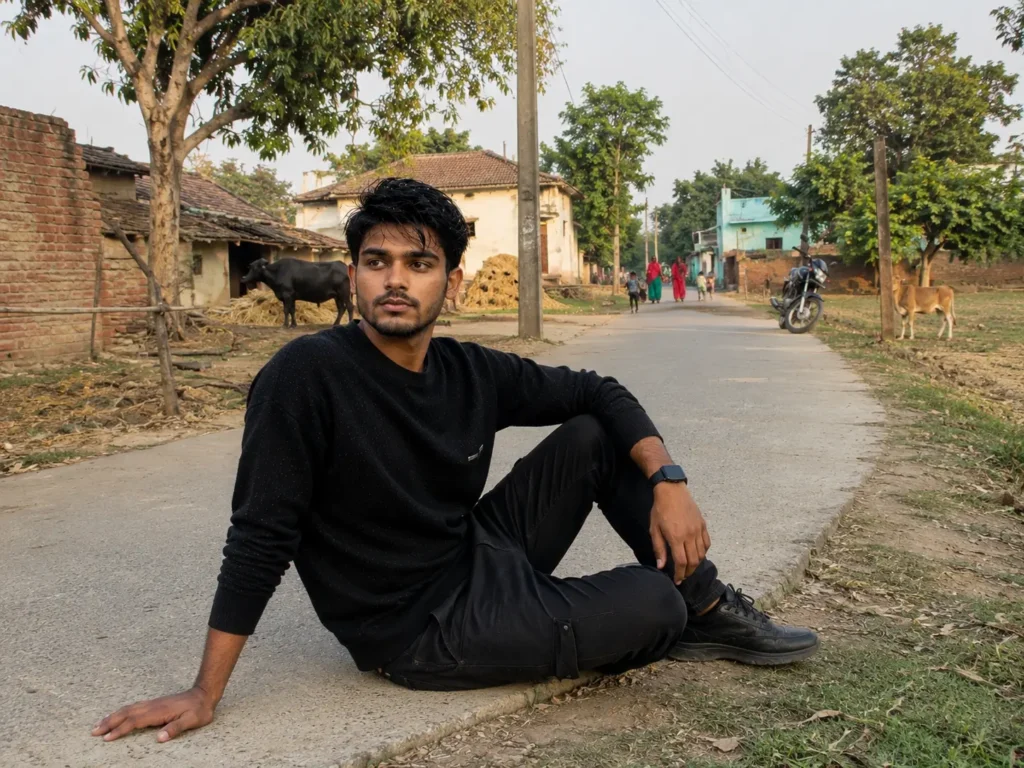
Use the uploaded image as the ONLY facial identity reference. Preserve the person’s exact identity with absolute accuracy. Maintain the same facial structure, hairstyle, beard, eyebrows, eyes, nose, lips, jawline, ears, skin tone, body proportions, clothing, expression, and overall appearance. The generated image must look like the same real person photographed in a real Indian village.
Create a completely natural documentary-style photograph of the subject sitting beside a rural village road in India. The person is sitting casually on the edge of a narrow concrete village road with one leg folded and the other resting naturally. One hand is placed on the ground for support while the other rests comfortably on the knee. The expression is calm and relaxed, as if enjoying a peaceful evening in the village.
The environment must represent an authentic Indian village, not a cinematic or fantasy version. Show small village houses with brick walls, mud-plastered homes, tin and tiled roofs, traditional courtyards, bamboo fences, hand pumps, electric poles with overhead wires, green trees, banana plants, neem trees, small farms, crop fields, grazing cows, buffaloes, goats, chickens, bicycles, parked motorcycles, village children playing in the distance, and women carrying water pots or walking naturally. Every element should appear realistic and naturally placed.
The road should be a genuine Indian village road with small cracks, dust, patches of grass, roadside stones, puddles if needed, and natural wear. Keep the surroundings clean and believable.
Lighting should be soft natural morning or late afternoon sunlight with realistic shadows and true daylight colors. No cinematic lighting, no dramatic effects, no glowing highlights, and no artificial HDR.
The entire background must remain naturally visible and detailed. Do NOT use portrait blur, heavy bokeh, artificial depth of field, or background replacement. Trees, houses, roads, fields, people, and distant objects should remain naturally sharp just as they would appear in a real DSLR photograph taken at f/5.6.
Facial Details:
• Exact identity preservation
• Natural skin pores
• Fine facial hair
• Individual beard strands
• Authentic skin texture
• Real eye reflections
• Natural lips
• No beauty filter
• No skin smoothing
• No AI-generated facial changes
Clothing:
Keep the same black textured sweater and realistic clothing folds, fabric texture, wrinkles, and stitching exactly as seen in the uploaded photo.
Camera Specifications:
Camera: Canon EOS R5
Lens: RF 35mm f/1.8 Macro IS STM
Focal Length: 35mm
Aperture: f/5.6
ISO: 100
Shutter Speed: 1/500 sec
White Balance: Daylight
RAW Format
Natural Color Science
Eye Autofocus
Realistic Dynamic Range
Rendering Style:
Generate an authentic RAW DSLR photograph with documentary photography realism, natural colors, true skin tones, realistic textures, physically accurate lighting, and genuine camera optics. The image must look exactly like a real photograph captured in an Indian village without any AI-generated appearance.
Negative Prompt:
No AI look, no CGI, no cartoon, no painting, no fantasy village, no artificial blur, no heavy bokeh, no oversaturated colors, no glowing skin, no beauty filter, no plastic face, no unrealistic lighting, no fake background, no extra fingers, no anatomy errors, no text, no logo, no watermark, no cinematic effects, no identity change.
The secret sauce here: Adding elements like “wooden utility poles” and “dusty afternoon light” forces the AI to ground the image in reality instead of making it look like a historical painting.
My Personal Tips for Getting the Best Results
After generating thousands of assets for my websites, here are the golden rules I follow:
- Set the Aspect Ratio for Discover: Always add
--ar 16:9(if using Midjourney) or specify “16:9 ratio” in ChatGPT. Google Discover heavily favors wide, high-quality images. - Never generate text inside the image: AI is terrible at spelling. It’s always better to generate a clean, text-free background image and use HTML/CSS or an editor to overlay your text later.
- Keep it simple: If the image looks bad, don’t rewrite the whole prompt. Just tweak one word at a time (like changing “afternoon light” to “morning mist”).
Using these specific prompts has completely streamlined my content creation workflow. Copy them, test them out, and adjust the bracketed keywords to fit your specific niche!
3 Ultra Realistic ChatGPT Image Prompts – (FAQs)
1. Do I need ChatGPT Plus (DALL-E 3) for these prompts to work?
Yes, for the best photorealistic results in ChatGPT, you need access to DALL-E 3 (available in ChatGPT Plus). However, you can also copy-paste these exact same prompts into Midjourney or Leonardo AI with fantastic results.
2. Are AI-generated images safe for Google AdSense approval?
Absolutely. As long as your written content is original, high-quality, and adds value, using AI images as featured banners or contextual graphics is completely safe and widely used by approved publishers.
3. How do I make these images fit perfectly in Google Discover?
Google Discover requires high-quality large images. Ensure you generate them in a 16:9 aspect ratio and scale or export them to be at least 1200 pixels wide before uploading them to your WordPress site.
4. Why do my AI faces still look like plastic mannequins?
If they look too smooth, you need to emphasize imperfections. Make sure your prompt includes phrases like “unretouched skin,” “visible pores,” and “fine facial textures.” Avoid words like “perfect” or “flawless.”
5. Does adding camera lens details (like 85mm f/1.8) actually matter?
Yes, significantly. AI image generators are trained on real photography metadata. Mentioning an 85mm lens tells the AI to create natural facial proportions and a beautifully blurred background (bokeh).
6. Can I swap the subject for an older person or a child?
Definitely. Just change the bracketed text in the prompts. For example, replace “[Indian male in their 30s]” with “[60-year-old grandfather with a white beard]” and the AI will adapt the lighting and texture accordingly.
7. How do I avoid weird AI hands or extra fingers?
The easiest workaround is to generate portraits or headshots (like Prompt #1). If you need full-body shots, use the phrase “hands naturally resting in pockets” or “arms crossed behind the back” to hide complex hand generations.
8. Can I use these prompts for tech or finance blogs?
Yes. Just keep the core camera and lighting settings, but change the background. For example, change “flower garden” to “modern server room” or “busy stock exchange floor” to fit your specific niche.
9. Why shouldn’t I generate text directly inside the image?
AI still struggles with accurate spelling and font consistency. It usually generates gibberish. It is much faster to generate a clean, text-free background and add your article title later using tools like Canva or Photoshop.
10. Do I need to give copyright credit for AI images on my blog?
Currently, images generated purely by AI do not hold traditional copyright. You do not need to credit the AI, and you can freely use them across your commercial web properties.
Final Thoughts: Stop Settling for Bad Stock Photos
Managing multiple content portals taught me one hard truth: visuals matter just as much as the text when it comes to capturing user attention and getting that Google Discover spike. Stop using the same free stock photos that hundreds of other websites are already using.
By using these three specific prompts, you take control of your visual branding. You get custom, DSLR-quality imagery that looks authentic, builds trust with your readers, and keeps your web pages lightweight and professional. Copy these formulas, tweak the subjects to match your daily articles, and watch your click-through rates improve.
Related Articles